See Exactly What You're Getting Explore the Live Demo
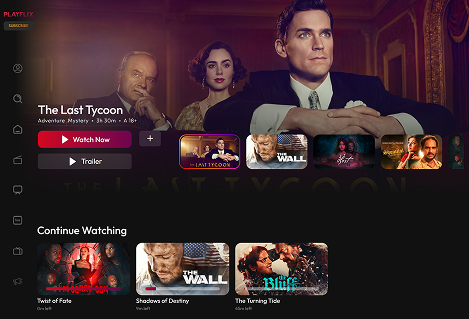
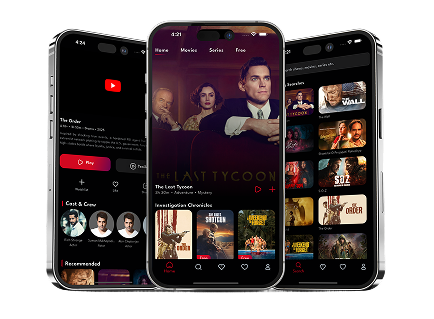
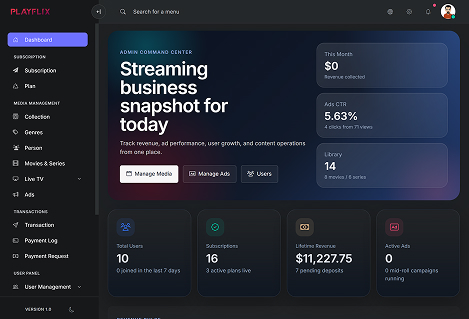
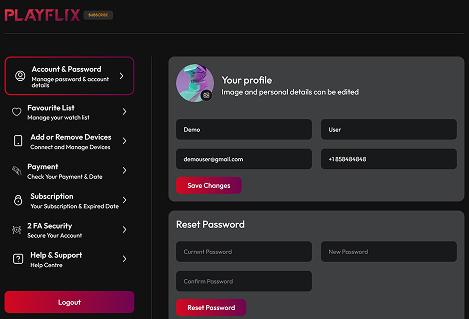
Explore and Experience the platform before take a decision.. The user website, admin panel, mobile app, and user dashboard. All fully functional, all available right now. Just 'Request Full Access Demo".
Get Full Access to StreamAct Demo
Request a private demo link and explore the full platform with complete customization access for a limited time. Enter your email and receive full platform credentials in under 5 minutes. No sales call, no waiting.
No, StreamAct comes with an easy-to-use admin dashboard where you can manage content, users, and settings without technical knowledge.
2
Can I customize the platform to match my brand?
Yes, it is fully customizable. You can update logos, colors, content, layouts etc. For advanced customization, developers can extend the platform.
3
Does StreamAct support mobile devices?
Yes, StreamAct is fully responsive and mobile-friendly. It works smoothly on desktop, tablet, and mobile devices, and also includes a mobile app experience for users.
4
How can I monetize my streaming platform?
It offers multiple monetization options. You can create subscription plans, offer premium content, integrate payment gateways to start earning from your platform.
5
What kind of content can I upload?
You can upload movies, TV shows, series, trailers, and more. The platform also supports multiple video qualities and subtitles for a better user experience.
6
Can I try the platform before purchasing?
Yes, you can request a full demo access. You’ll receive a private demo link where you can explore and customize the platform for a limited time before making a decision.
Let's Build Your OTT Business Now!
Get full source code, one-time payment, and launch in days. Stop paying monthly SaaS fees and start building your enterprise streaming platform today.